
Updated October 9, 2026. Do you need an eSIM, a physical SIM, international roaming, or a pocket Wi-Fi router for Korea? For a first-time visitor, the best choice is usually the one that works on your own phone and matches what you need to do—not simply whichever plan has the largest data number in an advertisement. This guide explains the options, how to check compatibility before you pay, and what to do when you arrive at Incheon Airport.
On this page · 13 practical sections
- At a glance: which connection fits your trip?
- Step 1 — Check whether your phone is unlocked and eSIM-compatible
- Step 2 — Decide whether you really need a Korean telephone number
- Step 3 — How to choose eSIM versus physical SIM
- Step 4 — Is pocket Wi-Fi worth it for your travel party?
- Step 5 — Compare the real cost, not just the advertised daily price
- Step 6 — Set up safely before your flight
- Step 7 — Your first 15 minutes of connectivity after landing
- Where to find SIM and Wi-Fi services at Incheon Airport
- Three traveler scenarios
- Useful Korean words at a telecom counter
- Frequently asked questions
- Official references and our editorial boundaries
The 20-second decision
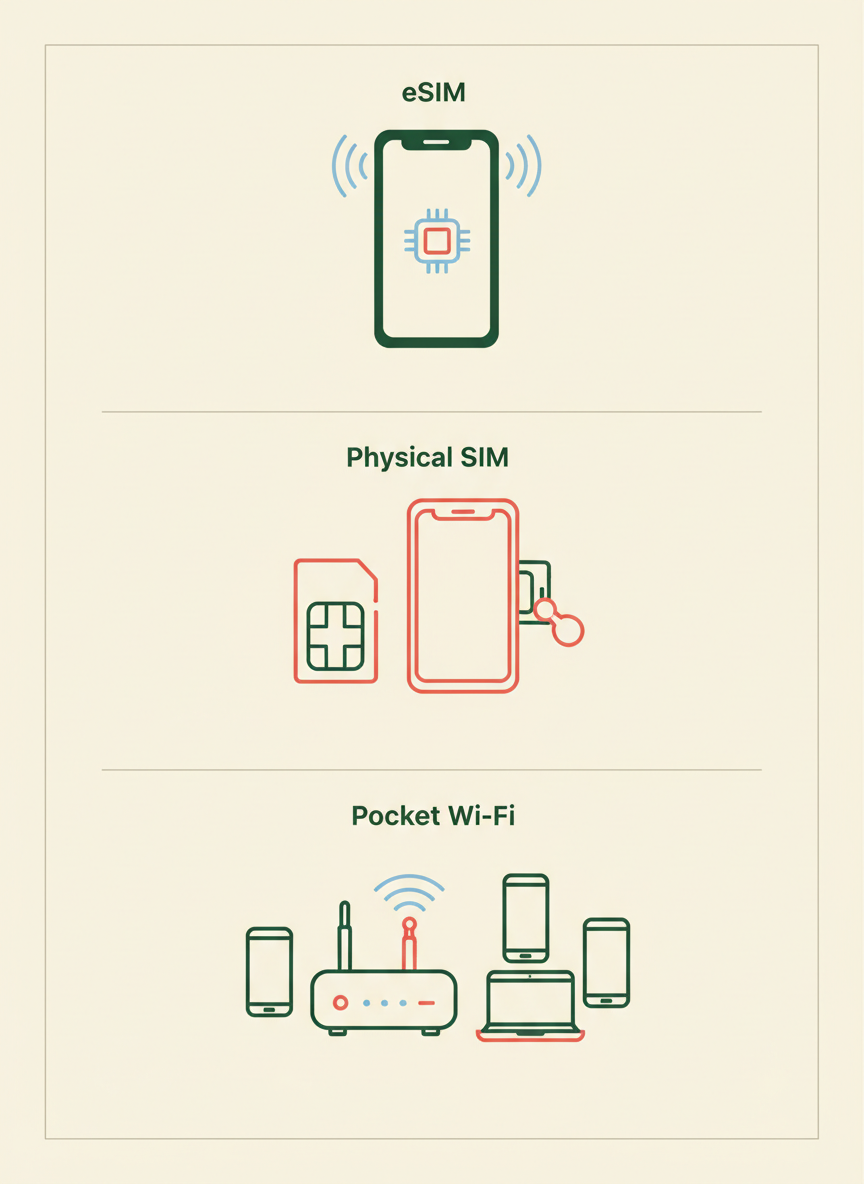
eSIM: convenient for a compatible, unlocked phone and a traveler who wants to prepare digitally. Physical SIM (USIM): a straightforward alternative for compatible unlocked devices with a SIM tray. Pocket Wi-Fi: one rented device may connect several gadgets, but it needs charging and return. International roaming: keeps your existing carrier service, but check charges, data allowances and coverage. Public Wi-Fi can help but should not be your only plan for important travel moments.
At a glance: which connection fits your trip?
| Option | Usually suits | Main limitation |
|---|---|---|
| Tourist eSIM | Solo traveler with a compatible unlocked eSIM phone | Device eligibility, installation and activation details matter; some plans are data-only |
| Physical USIM | Traveler with a compatible unlocked device and physical SIM slot | Swapping cards, managing the home SIM, store availability |
| Pocket Wi-Fi | Travel party sharing one connection across phones or laptops | Extra device, charging, security deposit/return requirements and group separation |
| Home-carrier roaming | People who want to keep their ordinary number active | Carrier-specific pricing, limits and potential extra charges |
| Public Wi-Fi only | Occasional internet access and very light data use | Gaps in coverage, sign-in requirements and risks on untrusted networks |
The Korea Tourism Organization (KTO) identifies both physical USIM cards and eSIMs as options for visitors, and lists airports, certain shops and online pickup as purchase routes. See its official Electricity & Communications guide. The comparison above is independent editorial guidance, not a sponsored ranking.
Step 1 — Check whether your phone is unlocked and eSIM-compatible
Before choosing a Korean network product, verify both network unlock status and eSIM capability. They are separate requirements. A phone that supports eSIM may still have restrictions imposed by its original carrier; an unlocked phone may not support eSIM at all.
- iPhone: open your phone’s settings to review cellular or mobile-data options, and check the official device specification for your exact model and country variant. Some iPhone models sold in different markets have different physical-SIM arrangements.
- Samsung Galaxy: check your exact Galaxy model and regional version for an eSIM or SIM manager option. The same product name can have variations across markets.
- Google Pixel and other Android phones: inspect your device’s SIM or mobile-network settings and manufacturer specifications. An available ‘Add eSIM’ menu is a useful signal, but you still need a compatible unlocked device and provider-supported plan.
- Carrier lock: if the phone is locked to a home carrier, ask that carrier whether it can be unlocked. Do not buy a nonrefundable plan based on a seller’s broad compatibility claim.
Before paying, confirm these four things
Your exact device model, whether it is unlocked, the provider’s stated network and band compatibility, and whether the plan offers data only or local voice/SMS service. None of these should be guessed from the phone brand.
Step 2 — Decide whether you really need a Korean telephone number
Data-only travel eSIMs can be enough for maps, translation, messaging apps, ticket sites and many travel tasks. But a data-only plan does not automatically provide a Korean mobile number for voice calls, ordinary SMS or phone-number verification. That matters if a restaurant, delivery service or Korean booking platform requests a local number.
Some local tourist SIM plans include a Korean number or limited voice/SMS service, while others only include data or require additional activation. Confirm the actual product and whether it supports incoming calls, outgoing calls, text messages, verification codes or identity checks. A number is not a guarantee of acceptance by every Korean app or regulated service.
If you must receive verification messages to your existing U.S. number—for example from a bank—ask your home provider about international SMS, Wi-Fi Calling and dual-SIM behavior in advance. Keeping a home SIM enabled for SMS can still trigger roaming charges depending on the carrier and device settings.
Step 3 — How to choose eSIM versus physical SIM
Choose eSIM when you have a confirmed compatible phone and prefer not to handle a removable SIM. Many tourist eSIM products can be purchased digitally, and providers give setup instructions or a QR code. Follow the seller’s instructions about installation versus the first day of plan activation; these may not be the same moment.
Choose a physical SIM if the device has a suitable SIM tray and you prefer assistance from a staffed desk. You may need to remove the home SIM to insert it unless your model supports a suitable dual-SIM setup. Store your original card carefully so it does not get lost.
KTO lists airport roaming centers and selected retailers as purchasing locations. It specifically warns that availability varies by individual convenience store. An airport pickup reservation does not necessarily mean walk-up stock is guaranteed.
Step 4 — Is pocket Wi-Fi worth it for your travel party?
A pocket Wi-Fi router is a battery-powered device that connects to a mobile data network and creates a Wi-Fi hotspot for several nearby devices. It can be practical for a family, a group staying together or someone carrying a laptop in addition to a phone. But its value falls when the group splits up, because people outside its range lose the connection.
- Check device capacity: how many connected devices can the specific router support comfortably? Do not assume ‘unlimited’ automatically means high speeds after heavy usage.
- Battery planning: the router needs recharging in addition to your phone. Confirm whether the included charger and adapter suit your travel setup.
- Pickup and return: verify the exact airport terminal, counter hours, identification or deposit terms, and late-return charges.
- Group separation: if two travelers go to different attractions, one shared router cannot provide mobile data to both without proximity.
- Privacy: use a strong Wi-Fi password; return or reset the equipment following the rental operator’s instructions.
Step 5 — Compare the real cost, not just the advertised daily price
Plan comparisons are tricky because sellers may quote prices per day, per trip, or per quantity of high-speed data. Plans labeled ‘unlimited’ may have a fair-use speed cap. A longer plan may count calendar days, 24-hour periods or days from first network registration. Prices and promotions change frequently, so this article deliberately does not promise a current cheapest provider.
- Compare the total cost for your exact travel dates, including taxes and any delivery or rental fees.
- Check high-speed allowance, throttling terms and whether hotspot/tethering is permitted.
- Confirm where the plan actually works; do not assume a Seoul-only promotional offer covers every rural destination or island.
- Look at cancellation, refund and QR-code reissue rules if your phone turns out to be incompatible.
- Note whether the product supports ordinary calls and texts, a Korean number, or just mobile internet.
- For roaming, examine the billable unit, daily fee trigger, excluded networks and out-of-bundle charges.
Step 6 — Set up safely before your flight
Save the QR code or activation information privately on a second device or as instructed by the provider, and verify that your phone has a stable internet connection for downloading an eSIM profile. Some devices cannot easily scan a QR code displayed on the same screen without an alternate setup route.
You can usually check that the phone supports adding a mobile plan before departure, but do not install or activate the purchased eSIM earlier than the provider recommends. A plan’s validity might begin upon installation, first connection, or a specified start time; read the purchase conditions.
If you intend to use two lines, choose which line provides cellular data after arrival and ensure the phone’s data-switching and roaming settings are consistent with your chosen plan. Changing the data line is different from blocking all possible roaming or billable calls on the home line.
Security & cost warning
Keep eSIM QR codes and activation credentials private. Avoid forwarding them in open chats or posting screenshots publicly. Before landing, understand your home carrier’s roaming charge rules, especially if your normal mobile line remains enabled.
Step 7 — Your first 15 minutes of connectivity after landing
- 1. Reach an area where phone setup is safe. If necessary, use the airport’s official public Wi-Fi to consult the provider’s own instructions.
- 2. Check the exact airport terminal, pickup or support desk if you reserved a physical SIM or portable Wi-Fi device.
- 3. For eSIM, follow the carrier instructions to choose the correct cellular data line and any required network or roaming settings.
- 4. Test an ordinary webpage, then a map or message. A successful Wi-Fi connection alone does not prove the travel cellular data plan is working.
- 5. Save your hotel address, travel route, booking records and relevant contacts offline in case the connection later drops.
If you still cannot connect, avoid randomly deleting your eSIM profile: some providers charge for or do not allow reissuing activation codes. Contact the plan operator using official support information.
Getting into Seoul after setup? Keep a separate plan for paying for transport and small purchases. Your mobile data service does not automatically make a foreign credit card usable at every transit-card top-up machine. See our cash, cards and transit ticket guide →.
Where to find SIM and Wi-Fi services at Incheon Airport
KTO notes that Korean mobile carriers operate roaming centers at major international airports, including Incheon, and that travelers can sometimes reserve a SIM online for pickup. Check the official tourism communication guide before choosing a provider.
The Incheon Airport official facility directory (Korean) lists communications/roaming counters and their current terminal locations and hours. Use the actual flight terminal and arrival hall signs to find the right desk. Store hours are not universal across terminal, company or service type.
If using the airport’s free network, pay attention to the correct Wi-Fi network name displayed by the airport or staff. Do not enter passport details, payment card credentials or passwords into an unknown page claiming to be ‘official airport Wi-Fi’.
Three traveler scenarios
Solo visitor for five days: A compatible unlocked smartphone, low calling needs and maps/translation as the main uses often point toward a data-focused eSIM or USIM. Confirm that the plan’s data and activation rules fit your whole trip.
Family traveling together: Pocket Wi-Fi can share a connection for several devices, but a separate eSIM for each person may be more useful when people split up. Compare total costs rather than daily headlines.
Visitor who must receive messages on a U.S. number: Decide whether home-carrier roaming or a dual-line setup is necessary. Confirm incoming SMS and Wi-Fi Calling behavior with your carrier and be alert to extra roaming charges.
Useful Korean words at a telecom counter
| Phrase | English meaning |
|---|---|
| 유심 있어요? | Do you have a physical SIM? |
| 이심 지원돼요? | Does it support eSIM? |
| 데이터 전용인가요? | Is it data-only? |
| 전화번호가 포함돼요? | Is a phone number included? |
| 언제부터 사용돼요? | When does it start working? |
| 어디에서 반납해요? | Where do I return it? |
Frequently asked questions
Can I use a U.S. phone with a Korean eSIM?
Often, yes, if the exact device and regional model support the provider’s eSIM technology and the handset is unlocked. Check both the phone manufacturer and the provider’s compatibility information before buying.
Does a tourist eSIM give me a Korean phone number?
Not always. Some eSIM plans are data-only, while others may offer calls or an assigned number. Do not assume a Korean number comes with the word ‘eSIM’.
Is public Wi-Fi enough for traveling around Seoul?
It may be sufficient for a very light data user, but access depends on location and sometimes sign-in procedures. If you need live navigation or independent access while moving, a compatible cellular plan is often a more practical backup.
Should I install my eSIM at home?
Follow the exact provider’s directions. Some installations can be prepared before departure; others start the paid validity period on install or activation. Check the plan terms and never assume ‘install’ and ‘start’ are equivalent.
Can a pocket Wi-Fi router replace everyone’s SIM?
Only while the shared device is in range, charged and connected. It will not help group members who are elsewhere without a separate connection.
Official references and our editorial boundaries
Primary source: Korea Tourism Organization (VISITKOREA), Electricity & Communications, explaining tourist USIM/eSIM availability and public Wi-Fi. Related KTO advice: Money-saving Tips — Wi-Fi versus SIM. For actual airport facilities, consult the Incheon Airport communications facility directory. Sources reviewed October 9, 2026.
This independent article compares preparation strategies; it is not a sponsored carrier ranking, a guarantee of plan availability, or an account of testing every mobile network and handset. The applicable plan terms, device restrictions, retail availability and fees can change. Consult the carrier, device manufacturer and service provider for binding details.
Before arrival, read our Incheon Airport arrival checklist. After connecting, use our Seoul transport guide, luggage storage guide, and Start Here.

Leave a Reply